
Document translation services
Use the Document translation service to translate document images into other languages, making them easier to understand for users who read a different language. When the Document translation service is enabled, AP Essentials Office users can view documents in their own language.
The Document translation service offers the following benefits:
- Removes language barriers, so reviewers can verify documents written in a language they do not read.
- Speeds up verification, because reviewers do not need a separate translator or dictionary to understand document content.
- Reduces errors that can occur when reviewers misinterpret fields in an unfamiliar language.
- Preserves the original document layout, so translated fields stay aligned with the source document.
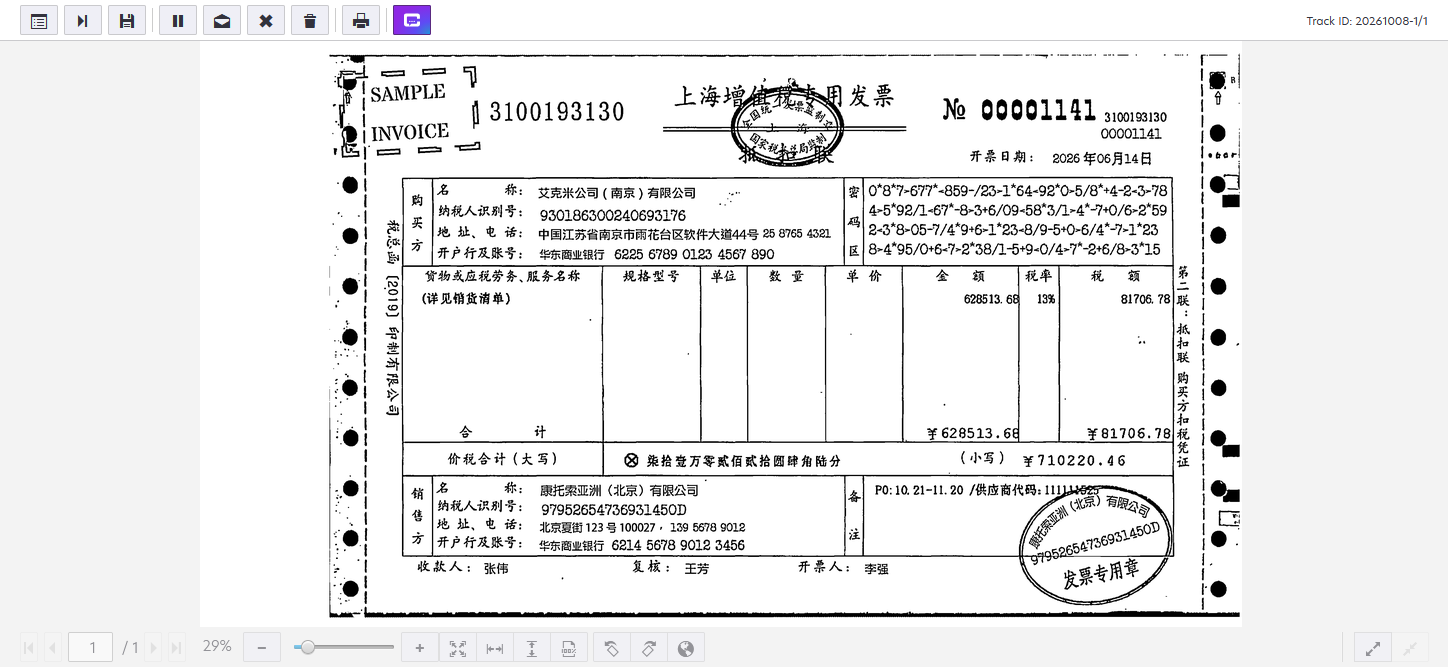
For example, the following image shows a Chinese invoice before translation. The invoice includes buyer and seller information, an itemized list of goods or services, and tax amounts, all in Chinese.
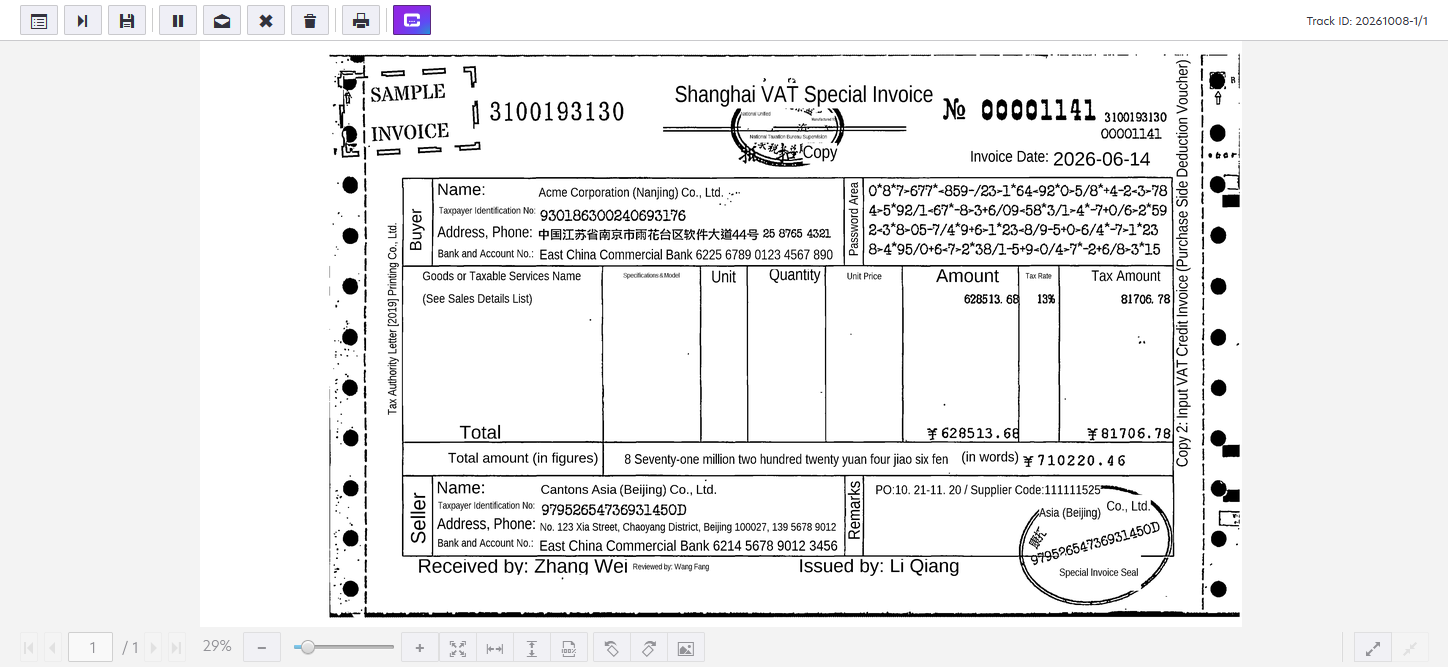
After translation, the same invoice fields and labels, such as Buyer, Seller, and Amount, appear in English, while the layout and data remain unchanged.
The Document translation service is only available when the Advanced extraction engine is enabled.
Language support
The Document translation service can translate most languages to English. However, the following languages are officially supported.
- Arabic
- Bahasa
- Bulgarian
- Chinese (Mandarin, Cantonese)
- Greek
- Japanese
- Polish
- Spanish
- Thai
- Ukrainian
Privacy
The Document translation service is powered by AI services within the AP Essentials system. Therefore, sensitive data is never shared with third parties.